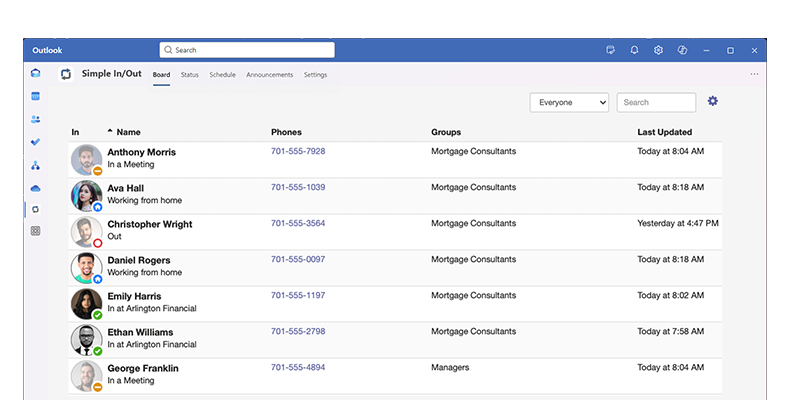

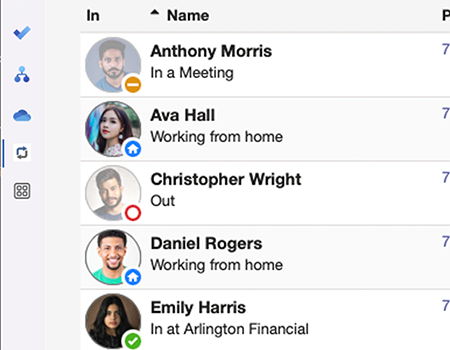
Microsoft Outlook, the ubiquitous email and calendar tool, integrates via our app which is installed from Microsoft's AppSource.
You can view your Simple In/Out board and make status updates right within your favorite Microsoft product via our tab. You never have to leave Microsoft to see your Simple In/out user board or keep your co-workers updated on your current status.
Keep your teammates informed of your status right from inside Microsoft Outlook. Simply click one button to update your status and leave an optional comment for more context. We provide the same Simple In/Out Quick Picks available in our apps right within Microsoft Outlook for fast and accurate status updates.
While our Microsoft Outlook integration doesn't send calendar events directly, you can provide Simple In/Out with your Outlook calendar feed.
With a little configuration, Simple In/Out can schedule your status updates automatically based on your upcoming calendar events. Not only will this automatically update your status when the time comes, but these scheduled statuses will appear within Simple In/Out on the board and reports, visible for those that have permission to see what's upcoming.
Simple In/Out will handle translating an event to a schedule status. We'll examine the event's summary and set your status and comment accordingly. The status update will be scheduled to the nearest 15 minutes of the event. You can even choose what time of day all-day calendar events will update your status to maximize the chances your co-workers will see your status updates.

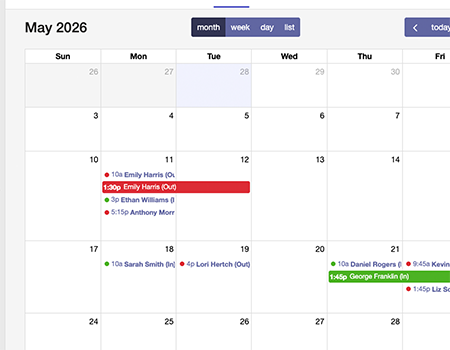
If your organization allows users to schedule status updates in the future, you can easily manage Scheduled Statuses with a convenient calendar interface right within your favorite Microsoft application. See the upcoming Scheduled Statuses of your team, manage your Scheduled Statuses, and manage the Scheduled Statuses of others (assuming you have permission of course).
When the time comes, Simple In/Out automatically applies these status updates to keep your board up to date. Spend your time focused on sunscreen and let Simple In/Out handle informing your co-workers of your vacation plans.
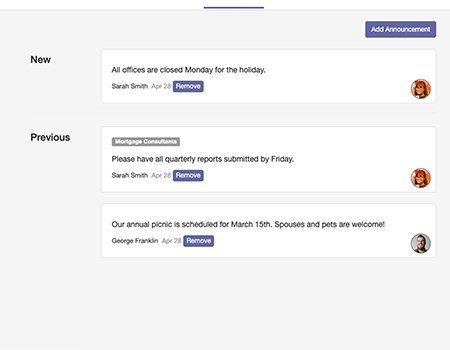
Never miss important (or trivial) news again. With Announcements, you can view important messages right within your favorite Microsoft application. Announcements are a great way to keep everyone in the loop about important company news, events, or just to share random trivia.
If you have permission to do so, you can also manage Announcements right from our integration. Create and delete Announcements to keep your team informed. You can also schedule announcements to disappear at a certain time, perfect for things like organization events or deadlines.

Using Single Sign On (SSO) through Microsoft Entra ID (formerly Azure ActiveDirectory), your users will have one less password to remember. Users can sign into the Microsoft Outlook integration, as well as all our Simple In/Out applications and website, using the same credentials they use for Teams and Outlook.
Our SSO solution also automatically provisions both your users and your groups. Upon changing a user or group within your SSO solution, Simple In/Out will match those changes within 40 minutes (depending on your SSO provider).
