Your organization is more than the people who work there. Keep track of guests and contractors with a visitor board that's as simple to use as the rest of Simple In/Out. From their first check-in to their next visit, see who's here and keep the details close at hand.
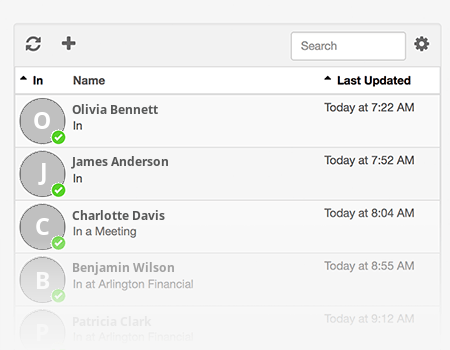
Give guests, contractors, and other visitors a place on your in/out board without creating accounts for them. The visitor board keeps their names, current statuses, and comments together, separate from your User Board. See who's in at a glance and search for the visitor you need.
Choose a table or grid, pick the details you want to display, and adjust the text size. Sort visitors by name or status, or open Full Screen Mode to keep your visitor board visible on a spare monitor.
Keep visitor names, email addresses, and phone numbers in one place. Choose which contact details are required when adding visitors. Click a visitor to see their profile and recent status history, or update their status if your role allows it.
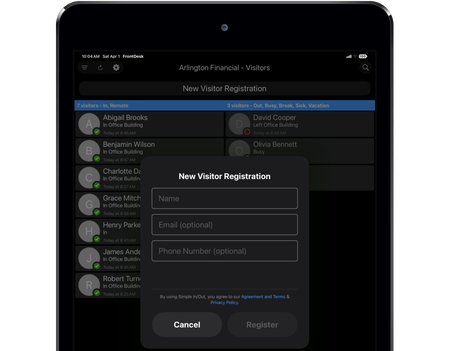
Turn a tablet in your reception area into a visitor check-in station with FrontDesk. Visitors can check in when they arrive and check out when they leave, keeping your team informed without another paper sign-in sheet.
Make repeat visits easy with TimeClock. Visitors scan their badge to update their status. A quick scan checks them in or out, so they can get on with their visit and your board can stay up-to-date.
Print a visitor badge or let visitors keep their badge on their phone with Apple Wallet or Google Wallet. Returning visitors can use the same badge again, making their next check-in just as easy as their first.
Follow visitors to receive notifications when they update their status. Keep informed when a contractor checks in or a guest checks out without having to watch the board all day.
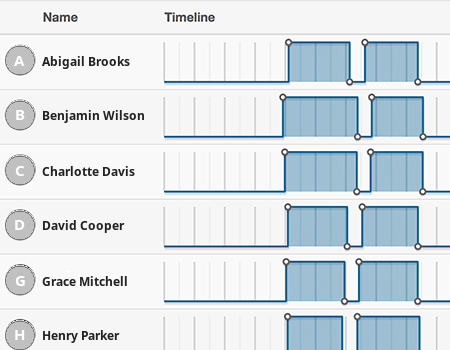
See more than who's here right now. Visitor status history and reports let you look back at arrivals, departures, and time spent in. Use timelines and time cards to find the details you need, and export visitor activity for your records.
Archive visitors who no longer need to appear on the board while keeping their history available. If they return, you can bring them back. Set retention periods to archive or delete visitors automatically, and use roles to control who can view visitors, update statuses, manage details, or run reports.
No. Visitors can check in and out without their own Simple In/Out account. Your staff can manage visitors and their statuses according to the permissions you choose.
Visitors have their own board, separate from the User Board. This keeps your staff directory focused on your team while giving you a dedicated place to see your guests. Visitors count toward your subscription plan's combined user and visitor limit.